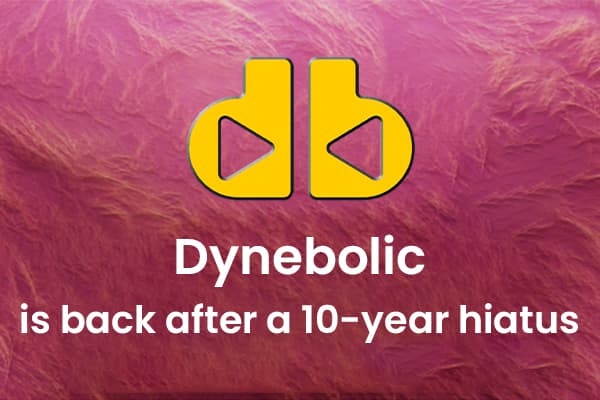
Linux distributions offer a wide range of varieties, such as desktops, servers, firewalls, routers, gaming, containers, file servers, forensics, penetration testing and so much more. These distributions are designed specially to meet the unique needs of creatives and professionals. One such Linux distribution is Dynebolic. Dynebolic was a big thing in the digital market when it first appeared almost a decade ago. Then the distribution ceased development, much to the public dismay. But now the great news is that Dynebolics have made a comeback.
Although it has been ten long years, Rastasoft is confident about its return with its new Dynebolic 4.0, live-boot and Linux kernel 6.8 series. Also, it has now transformed itself into a portable and creative OS made with KDE Plasma desktop. It’s specially curated for multimedia production with its extensive collection of audio and video tools.
But what does “portable” mean? If you are a Linux user, you probably already know about “live” distribution. And with the help of live distribution, you can run the OS and all its apps from the RAM of the system. With live distribution, users don’t need to install the operating system. Thus, it won’t change your hard drive. Live distribution allows try out Linux, after that you can reboot the machine and remove the USB drive. You can boot back to the original operating system. Live distributions are very common in Linux. Since Dynebolic is also taking the live route, now users can boot into the operating system to create multimedia projects as well as save them to some external drive- and when it’s done, users can just reboot the machine back to the operating system they installed.
Dynebolic could be your go-to creative workstation. For you can go to your friend’s place and simply boot Dynebolic to their PC, do the work and save it. and as you reboot the system your friend’s computer will come back to its original state.
Moreover, what users need to keep in mind about Dynebolic is that it’s a self-contained OS, which means that the software must encompass everything that you might need as you won’t be able to install anything additionally. Users can find all sorts of tools for streaming, audio, video, graphics, and publishing, such as- rdour7, audacity, butt, FFADO Mixer, Kdenlive, OBS Studio, soundKonverter, Mixxx, VLC- Media player, Darktable, GIMP, Inkscape, so many others.
Creating content comes easy with Dynebolic. Creators can start their creative process seamlessly with Audacity, a tool that creates audio effortlessly. You can also access JACK or Ardour7, more advanced and powerful audio tools.
Dynebolic is a software that’s 100% free of charge!
However, users will need an external drive always in order to save their work. Users run the risk of losing their work after the reboot is done if they don’t save it beforehand. Also, users are always welcome to save their work temporarily on its file system as an alternate option and then upload the file to a cloud storage account. Overall, Dynebolic is a great multimedia workstation which is also 100% portable. You can carry your creative tool with you, anywhere you go!