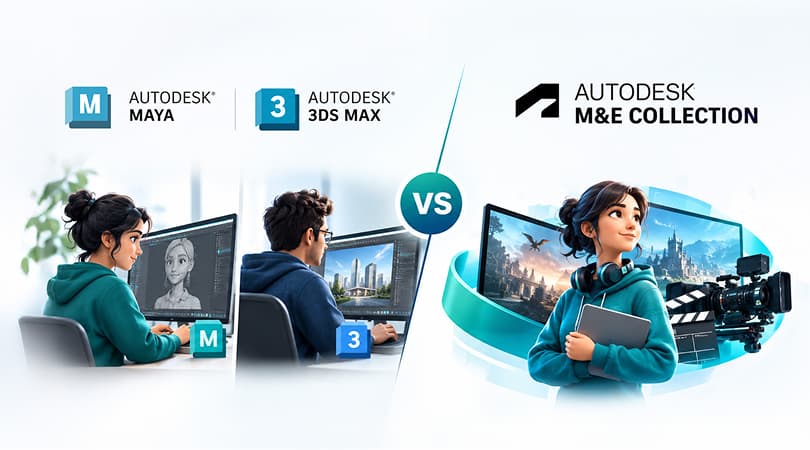
The selection of the appropriate 3D software subscription relies on various factors, including the nature of the project, the workflow in place, and the tools the team members require. Autodesk Maya and 3ds Max are two of the most popular software used for 3D modeling, animation, rendering, and visual content development. Enterprises are allowed to subscribe to either piece of software individually or get the Autodesk Media & Entertainment (M&E) Collection that consists of several software applications and additional creative planning applications.
Both alternatives are capable of supporting professional 3D production, yet they differ when it comes to the software variety included in the subscription. If the crew makes a predominant use of Maya and 3ds Max, purchasing subscriptions to these applications separately could be a viable solution. Meanwhile, firms engaged in animation, visual effects, as well as game development, may find the M&E Collection more beneficial due to the wide range of programmes included in it.
Let's compare both options to understand their features, software access, and suitability for different business requirements.
What Is Autodesk Maya?
Autodesk Maya is professional 3D software used for modelling, animation, simulation, and rendering. It is commonly used in film, television, game development, and visual effects production. Businesses can explore Autodesk Maya for professional 3D modelling, character animation, simulation, and visual effects production.
Maya provides tools for creating and animating characters, building 3D scenes, developing visual effects, and producing rendered content. It also supports workflows involving simulations and complex character animation.
Maya may be a suitable choice for studios that focus on character animation, visual effects, and detailed 3D production. Businesses can use it alongside other applications depending on their project requirements.
What Is Autodesk 3ds Max?
Autodesk 3ds Max is 3D software used for modelling, animation, and rendering. It is commonly used in game development, architectural visualisation, and the creation of detailed 3D environments.
The software provides tools for creating objects, materials, lighting, animations, and rendered scenes. Architects and visualisation artists can use it to present building designs, while game artists can create detailed environments and assets.
3ds Max may be a suitable option for businesses that focus on 3D modelling, environment creation, and design visualisation. When projects also require Maya's animation and production tools, having access to both applications can support a broader range of work.
What Is the Autodesk Media & Entertainment Collection?
The Autodesk Media & Entertainment Collection is a paid subscription package that includes all the necessary software required to produce creative works. This collection consists of Maya and 3ds Max along with other packages necessary for different stages of the production process.
In addition, the software package offers a number of tools including, Arnold, Motion Builder, ReCap Pro, Golaem, and Autodesk Flow Studio that are available subject to the relevant subscriptions and access conditions as provided in the collection. Autodesk also provides Bifrost and some Arnold rendering rights subject to the conditions defined in the software package.
The Autodesk Media & Entertainment Collection provides access to Maya, 3ds Max, and additional creative tools that can support different stages of the production process.
This kind of collection is very useful for certain studios that require many different applications instead of a few ones. This would allow them to use a variety of tools using just a single package subscription.
Maya + 3ds Max Separately vs M&E Collection: Key Differences
The main difference is how software access is packaged. Separate subscriptions provide access to Maya and 3ds Max individually, while the M&E Collection includes both applications and additional tools.
| Comparison | Maya + 3ds Max Separately | M&E Collection |
| Software access | Separate subscriptions for Maya and 3ds Max | Both applications and additional included tools |
| 3D modelling | Tools available in both applications | Access to both applications |
| Animation | Maya and 3ds Max animation tools | Both applications plus additional animation tools |
| Rendering | Arnold is integrated into Maya and 3ds Max | Includes Arnold with collection-specific entitlements |
| Additional tools | Other applications may require separate subscriptions | Access to additional included creative tools |
| Suitable for | Teams that mainly need Maya and 3ds Max | Teams that need a broader set of production tools |
| Main consideration | Individual software requirements | Usefulness of the additional applications |
The collection provides access to more software, but that does not automatically make it the better choice. The right option depends on your team's workflow and the applications it will actually use.
When Separate Maya and 3ds Max Subscriptions Make Sense
Buying Maya and 3ds Max separately may suit your business if:
- Your team mainly uses these two applications for its projects.
- You already have access to the other tools required for your workflow.
- The additional applications in the collection are not relevant to your work.
- You prefer to manage subscriptions for specific software products.
For example, a design visualisation company that primarily works in 3ds Max and uses Maya for selected projects may find that separate subscriptions meet its requirements. The decision should depend on how the applications fit into its existing workflow.
Final Verdict: Separate Subscriptions or M&E Collection?
Neither option is the right choice for every business. The decision depends on your software requirements and production workflow.
Choose Maya and 3ds Max separately if these two applications meet your needs, and you do not require the additional tools included in the collection.
Choose the M&E Collection if your team needs both applications and can make practical use of its additional software and benefits.
Before making a decision, businesses can explore 3D software solutions at Wroffy to find software options that align with their production needs.
Before making a decision, review Autodesk's official product information and current subscription inclusions. Comparing the available software with your team's actual requirements will help you choose the option that best suits your business.