If you run a business, you deal with PDFs almost every day. Contracts, invoices, reports, forms, NDAs, most of it lands in your inbox as a PDF. And at some point, you need to edit one, sign one, or pull data out of one. That's when a plain PDF reader stops being enough.
In today’s digital world, PDF files are a big part of daily business work. From contracts and invoices to reports and presentations, almost every business depends on PDF documents. But just viewing a PDF is not enough anymore. Businesses need reliable PDF software solutions that can help them edit, convert, sign, and manage documents more efficiently.
This is where PDF editors come in. A good PDF editor can save time, improve your work productivity, and make document handling much smoother. However, with so many options available in the market, selecting the right one can be confusing.
Best PDF Editors for Businesses
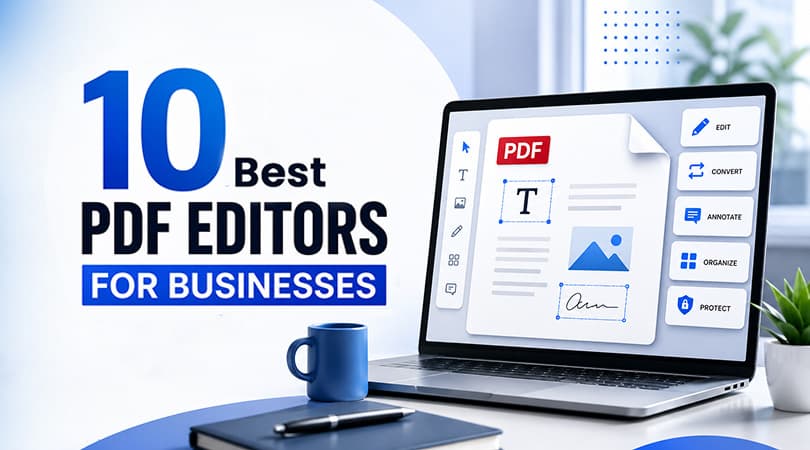
In this blog, we will look at the 10 best PDF editors for businesses in 2026. We will explain each tool in simple words so you can easily decide which one is right for your business.
iLovePDF
iLovePDF is a simple, multifunctional online platform that enables businesses to manage their PDF needs seamlessly. The tool is appropriate for organizations that seek to utilize a reliable online solution with a reduced number of complicated features and steps. iLovePDF enables users to merge, split, compress, and convert their files with a single click and provides eSign solutions and editing options. Businesses looking to Buy iLovePDF can compare available plans and get a genuine iLovePDF license from Wroffy
This platform is effective for businesses that prefer a convenient, lightweight platform to address their PDF-related needs.
Adobe Acrobat Pro
Adobe Acrobat Pro is a powerful PDF editor for businesses that need advanced document editing, conversion, e-signature, and PDF management capabilities. The software provides users with the opportunity to organize and edit their PDF files and convert them into Word, Excel, and other file formats.
Additionally, Adobe Acrobat Pro enables the e-signature of documents, ensuring the reliability and protection of the information. This tool is appropriate for businesses that seek to take advantage of an extensive range of PDF-related services.
Nitro PDF Pro
Nitro PDF Pro is a business-focused PDF editor that enables users to edit, convert, annotate, secure, and sign PDF documents. The tool provides businesses with all the essential PDF-related functions may need.
Although it is a less expensive alternative to Adobe Acrobat Pro, Nitro PDF Pro has an intuitive interface and is appropriate for individuals with basic computer skills. Therefore, this software is relevant for businesses that seek to benefit from all the features of a premium-class PDF editor.
Foxit PDF Editor
Foxit PDF Editor is a multifunctional and effective online tool that enables businesses to manage their PDF files effectively. The software is appropriate for organizations that seek to benefit from a powerful and convenient PDF editor.
Although some users may find the interface less attractive, Foxit PDF Editor provides users with an array of advanced features, from editing to collaboration and security. This tool is relevant for businesses that prefer a productive PDF editor with extensive functionality and performance.
Smallpdf
Smallpdf is a multifunctional online tool that enables businesses to edit their PDF files. The platform attracts users due to its simple interface and provides essential functions such as editing, compression, conversion, and e-signature.
Additionally, this online platform is characterized by its extreme easiness of use, making it appropriate for business owners with limited technical expertise. Thus, this tool is effective for businesses that prefer a straightforward PDF editor.
PDF-XChange Editor
PDF-XChange Editor is a multifunctional PDF editor that enables businesses to operate on their PDF files and make the necessary adjustments. The tool is appropriate for businesses that seek to utilize an advanced PDF editor with extensive functionality.
Users are provided with the opportunity to edit, comment, annotate, organize, and safeguard their information. Therefore, this software is relevant for businesses that want to benefit from a functional PDF editor.
Sejda PDF Editor
Sejda PDF Editor is a multifunctional online tool that enables businesses to edit and organize their PDF files. The tool attracts users due to its convenient interface and provides such essential functions as text editing, annotation, and e-signature.
This online platform is appropriate for businesses that want to take advantage of a convenient and reliable PDF editor that operates both online and offline.
PDFelement
PDFelement is a multifunctional PDF editor that provides businesses with an extended range of functions. The tool has an attractive interface and is easy to use, making it relevant for individual entrepreneurs and small businesses. Additionally, PDFelement enables users to edit their PDF files, convert them into Word, Excel, and other formats, and organize their information.
Moreover, this software utilizes artificial intelligence to help users accomplish their tasks more efficiently. Thus, this tool is appropriate for businesses that want to benefit from a reliable and modern PDF editor.
PDFescape
PDFescape is a simple online PDF editor that enables businesses to make the necessary adjustments to their PDF files. The tool is appropriate for businesses that seek to utilize a simple PDF editor because it is not overloaded with extra functions.
Additionally, this program is available online and does not require any installations, making it relevant for business owners with limited technical expertise. Thus, PDFescape is appropriate for businesses that want to benefit from an uncomplicated PDF editor.
DocuSign (for eSign Focus)
DocuSign is not full PDF editor; instead, it is an excellent online solution that enables businesses to electronically sign their documents. The software is perfect for organizations that want to minimize the time costs of the signing process and eliminate the need for paperwork.
DocuSign is characterized by its ease of use, making it relevant for businesses of all sizes. Therefore, this tool is appropriate for businesses that want to operate with electronic signatures.
How to Choose the Right PDF Editor for Your Business
Choosing the right PDF editor depends on your business needs. Not every tool is suitable for every company. If your business needs advanced editing and security, tools like Adobe Acrobat or Nitro PDF Pro are better choices. If you want something simple and quick, iLovePDF or Smallpdf can work well.
You should also consider factors like ease of use, team size, budget, and security features. Always choose a tool that matches your daily workflow.
Benefits of Using a PDF Editor in Business
Using a good PDF editor can make a big difference in your daily work. It helps save time and improves efficiency.
- Makes document editing quick and easy
- Reduces manual work and errors
- Improves team collaboration
- Keeps documents secure
- Supports digital workflows
These benefits help businesses work faster and stay organized.
Conclusion
PDF editors are an important part of modern business tools. Whether you are a small business or a large company, the right tool can help you manage documents more efficiently. In 2026, businesses have many options to choose from. The key is to select a tool that fits your needs, is easy to use, and keeps your data secure.
By choosing the right PDF editor, you can improve productivity, save time, and handle documents with confidence. Businesses can also explore business software solutions from Wroffy to find the right tools for their specific requirements.