Processing PDFs is a standard business practice in terms of contracts, reports, invoices, and internal records. However, these tasks done manually can hamper productivity and cause delays. Different teams may end up spending hours converting files, compressing documents, merging PDFs, and collecting signatures.
iLovePDF software is a great solution for automating repetitive PDF jobs, allowing users to manage tasks such as converting, compressing, merging, and signing documents efficiently. Buy ilovePDF from Wroffy, it simplifies the buying process by providing expert advice, genuine licensing, and complete support. With the right strategy, companies can build structured workflows that enable quick and accurate processing of documents, allowing faster completion of such tasks.What is PDF Workflow Automation?
The PDF workflow automation refers to the handling of tasks in relation to documents. These tasks may include converting files into PDFs, compressing large documents, merging multiple files, or sending document signatures.By automating these processes, businesses can ensure that documents follow a consistent flow without manual intervention at every step. This reduces dependency on individuals, improves speed, and ensures that documents are processed in a structured and organised manner.
Automation is crucially important for businesses dealing with plenty of documents daily since it allows them to save time and improve productivity.
Why Automate PDF Workflows?
Automating PDF workflows offers multiple benefits that directly impact business performance. It helps teams focus on more important tasks instead of spending time on repetitive document handling.
- Reduces manual effort and repetitive work
- Speeds up document processing and approvals
- Minimizes the chances of human errors
- Improves productivity across teams
- Ensures consistency in document handling
- Helps manage large volumes of files efficiently
When workflows are automated, businesses can operate more smoothly and respond faster to internal and external requirements.
Key iLovePDF Tools for Automation
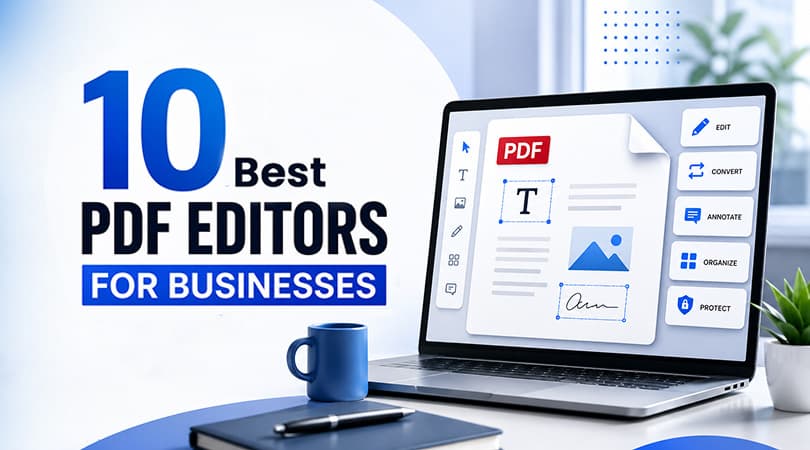
iLovePDF features numerous applications, which can be combined to develop successful automated processes. Every application is purpose-built, which helps in developing an integrated solution for managing documents. Businesses can also explore the Best PDF editors for businesses to compare different solutions and choose the right tools for their document workflows.
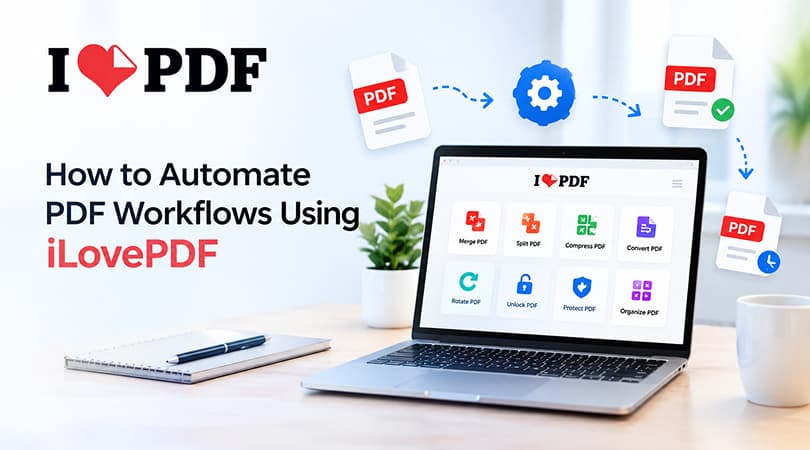
- Merge PDF to combine multiple documents into one file
- Split PDF to extract specific pages or sections
- Compress PDF to reduce file size for easy sharing
- Convert PDF to and from formats like Word, Excel, and images
- Edit PDF to make quick changes without using additional software
- eSign PDF to send documents for digital signatures
- Organise PDF to rearrange, rotate, or remove pages
These tools are easy to use and can be applied individually or as part of a larger workflow depending on business needs.
How to Automate PDF Workflows Using iLovePDF
Setting up PDF workflow automation using iLovePDF is straight forward. Businesses can follow a structured process to create workflows that match their daily operations.
Identify Repeated Tasks
The initial step towards developing efficient automated workflows is to understand your processes. Think of tasks that are repeated on a daily basis: converting files to PDF, compressing reports, merging documents, or collecting approvals. The analysis of such activities will help to identify a fit for the automation solution.
Choose the Right Tools
The second step is to determine which document-related tasks you want to automate. For instance, if a company’s main activity is converting files and reducing their size, the appropriate tools are Convert and Compress. Choosing the right set of options will ensure the creation of effective and relevant automated workflows.
Batch Processing
One of the simplest and most effective ways of automating document-related tasks is processing files in batches. With iLovePDF, users can upload multiple documents at once and process them simultaneously instead of performing the same operations several times for each file individually.
Designing the Most Appropriate Workflow
The next step to automatize document-related tasks is to create a workflow, a list of actions to be performed on documents. For instance, the workflow may comprise converting files, compressing, and merging reports and then sending them for e-signature. The automation tool will allow designing the most fitting process for a business, which will save time on each file processed.
Storing Files in the Cloud
A number of tools allow storing files in the cloud, including Google Drive and Dropbox. The option is one of the fastest methods to process documents since there is no need to download and upload files. Such functions are integrated into most automated document processing solutions, including iLovePDF, offering the opportunity to operate with files directly from the cloud.
Sending for Approval
The most common and time-consuming step in a business is obtaining approvals. With the eSign option, documents can be sent for electronic signature and tracked in real-time. Thus, a workflow can automate this stage, ensuring that files are signed faster and without additional effort.
Continuous Monitoring and Optimization
Automation is not a one-time setup. Businesses should regularly review their workflows to identify any inefficiencies or bottlenecks. Making small improvements over time helps maintain efficiency and ensures that workflows continue to meet business requirements.
Use Cases of PDF Workflow Automation
PDF workflow automation using iLovePDF can be applied across different industries and departments. It helps organisations manage documents more effectively and reduce manual workload.- HR teams can automate employee onboarding documents and contracts
- Finance departments can process invoices, receipts, and reports
- Legal teams can manage agreements and compliance documents
- Sales teams can send proposals and collect signed contracts
- Educational institutions can organise and distribute study materials
Benefits of Using iLovePDF for Automation
Using iLovePDF for PDF workflow automation offers several advantages that improve overall business efficiency. These benefits make iLovePDF a practical solution for businesses looking to improve their document processes.- Easy to use without requiring technical expertise
- Supports bulk processing for faster document handling
- Cloud-based access for remote and distributed teams
- Reduces time spent on repetitive manual tasks
- Improves accuracy and consistency in document workflows
Best Practices for PDF Workflow Automation
To achieve maximum results, companies should stick to a few key principles when automating their PDF processes. This enables processes to be effective and keep their reliable character.- Use a consistent document format across all teams
- Define clear workflow steps before implementing automation
- Use batch processing when appropriate
- Maintain proper file naming and organisation
- Check for and keep the workflows up to date regularly.
Following these practices help businesses get maximum value from their automation efforts.
Conclusion
The process of automating PDF workflows with iLovePDF is not only quick but also highly productive. With the reduction of human effort and utilization of the different tools available in an organized manner, companies can manage documents more effectively. You can buy it from Wroffy, authorised reseller of ilovePDF software.With more businesses having to deal with increasing volumes of digital documents, automation becomes essential for maintaining productivity and consistency. iLovePDF provides the necessary tools for upgrading effective workflows without complicating things.